
Cleanroom conditions affect much more than the visible surface of a semiconductor equipment display. They influence front-panel construction, material selection, touchscreen operation, cleaning procedures, electrostatic control, thermal design, optical readability, maintenance access, and the way the complete display assembly is validated.
An LCD panel is not automatically suitable for cleanroom use simply because it has an industrial specification. The bare panel may provide suitable brightness, resolution, viewing angle, and temperature performance, but cleanroom suitability depends on how it is installed behind cover glass, sealed into the enclosure, connected to the controller, grounded, cleaned, and maintained.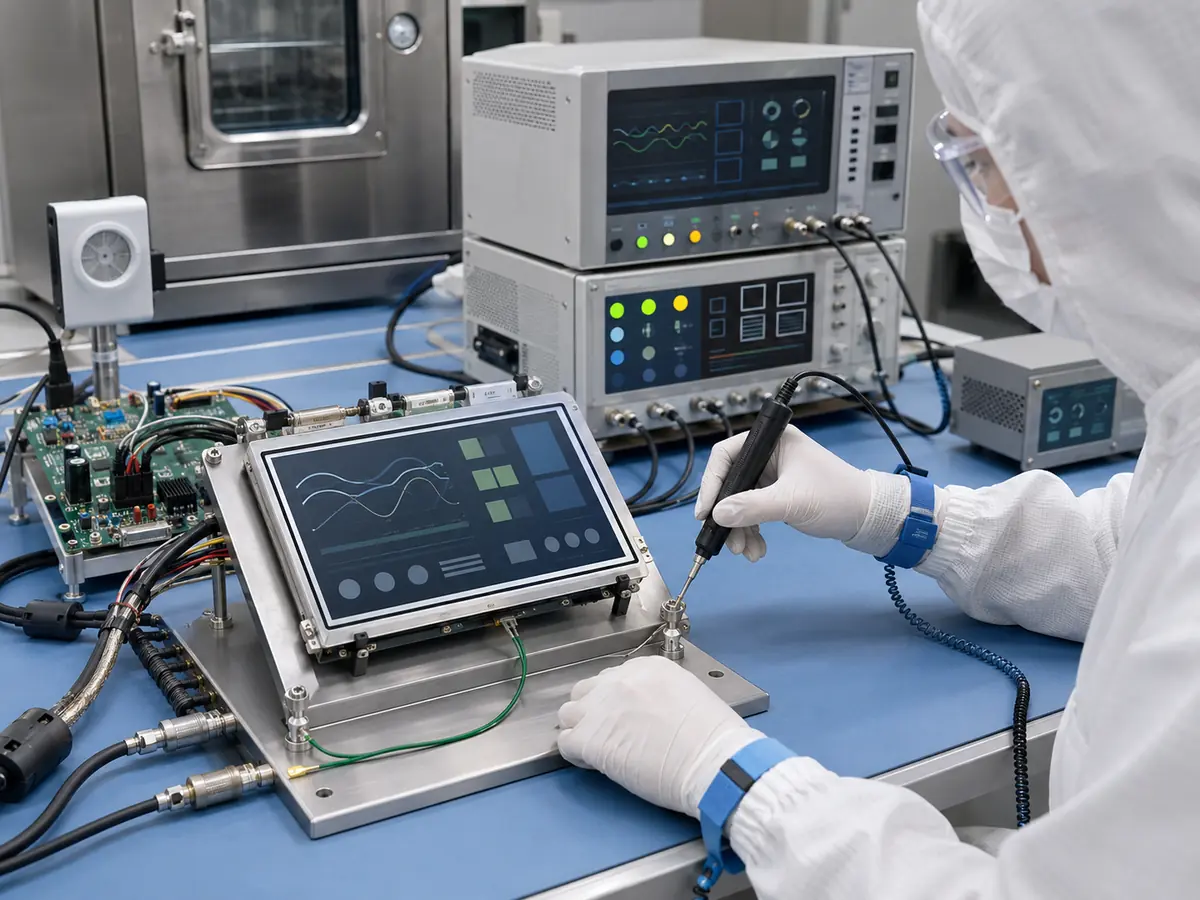
From my experience with industrial LCD projects, one of the most common misunderstandings is to treat “cleanroom display” as a standalone panel category. In practice, the cleanroom-facing surface is normally a system created from the LCD, touchscreen, cover glass, adhesive, gasket, enclosure, mounting hardware, and cable-entry design.
The engineering objective is not merely to prevent dust from entering the display. The front assembly should also be easy to clean, resistant to repeated wiping, stable under the actual electrical environment, readable under cleanroom lighting, and serviceable without introducing unnecessary contamination or extended machine downtime.
Quick Answer: Cleanroom conditions affect semiconductor equipment displays by requiring smooth front surfaces, controlled gaps, suitable sealing, cleaning-resistant materials, glove-compatible touch operation, stable grounding, low-reflection viewing, and reliable performance during continuous use. Engineers must evaluate the complete display assembly rather than the LCD panel alone. The final design should be tested for cleaning compatibility, touch accuracy, ESD, EMC, temperature, mechanical fit, and equipment-level particle-control requirements.
A cleanroom may maintain controlled temperature and airborne-particle concentration, but the display still operates inside an equipment enclosure containing heat-generating electronics. Operators may wear gloves, overhead lighting may create reflections, and routine cleaning may repeatedly expose the front glass and seals to chemicals and mechanical wear.
These conditions must be included in the display specification from the beginning. Adding a sheet of glass to a standard monitor at the end of the equipment design does not create a properly engineered cleanroom HMI.
Claim: Cleanroom display performance is determined by the complete HMI assembly. The LCD, touchscreen, glass, sealing, materials, grounding, software, enclosure, and maintenance process must be evaluated together.
1. Which Cleanroom Conditions Affect Semiconductor Equipment Displays?
Cleanroom display requirements should be based on the actual equipment location and manufacturing process. A display installed on a wafer inspection station may face different operational conditions from one installed on an etching system, material-handling unit, die bonder, or remote engineering terminal.
How Does Airborne-Particle Control Affect the Display?
Cleanroom classification is generally concerned with airborne-particle concentration. ISO 14644-1 classifies air cleanliness according to measured particle concentration within specified particle-size ranges. This does not mean that every individual component installed in the cleanroom receives a universal cleanroom certification.
The equipment manufacturer must consider whether the display assembly can trap, release, or redistribute particles. Deep bezels, exposed adhesive, unsealed gaps, rough surfaces, cooling fans, and difficult-to-clean edges can all complicate equipment-level contamination control.
A smooth glass front is often preferred because it has fewer recessed areas than an exposed LCD or conventional office monitor. However, the glass must still be joined correctly to the enclosure. A visible glass surface does not compensate for an unsealed perimeter or unsuitable cable entry behind it.
How Do Cleaning Procedures Affect Display Materials?
Cleanroom equipment may be wiped frequently according to the facility’s approved cleaning procedure. The front glass, printed border, surface coating, adhesive, gasket, and housing finish must tolerate the intended cleaning agent and wiping method.
Material compatibility should be confirmed with the actual chemical concentration and contact time. A coating that survives occasional office cleaning may haze, discolor, soften, or lose adhesion after repeated industrial cleaning cycles.
Printed borders and logos should normally be placed on a protected glass surface where they are not directly exposed to wiping. Edge seals and adhesives should not remain exposed where cleaning fluid can repeatedly contact them.
How Does Cleanroom Lighting Affect Readability?
Semiconductor cleanrooms commonly use strong and uniform overhead lighting. This helps personnel work safely, but it can create reflections on glossy cover glass, particularly when the display shows dark equipment diagrams, camera images, or wafer inspection data.
Increasing backlight brightness can improve readability, but it also increases power consumption and heat. In many applications, reducing reflection through suitable glass treatment or optical bonding provides a better result than using a much brighter LCD.
The display should be evaluated under lighting conditions that resemble the final installation. A screen that looks clear in a dark engineering laboratory may appear reflective after installation beneath cleanroom lighting.
Why Can Enclosure Temperature Remain High?
Controlled room temperature does not guarantee that the LCD operates at the same temperature. The rear of the display may be enclosed with an industrial computer, controller board, power supply, touch controller, and other heat-generating components.
A flush-mounted glass front can also reduce natural airflow around the panel. If the enclosure relies on internal air circulation or a sealed thermal design, the display temperature should be measured at maximum brightness and under the highest expected equipment load.
Excessive temperature can affect backlight life, brightness stability, liquid-crystal response, adhesive performance, touchscreen operation, and controller reliability.
How Do ESD and EMI Affect Cleanroom Displays?
Semiconductor manufacturing places strong emphasis on electrostatic control because sensitive devices and electronic assemblies can be damaged by uncontrolled discharge. The display front, touchscreen, enclosure, cables, and grounding path must therefore be considered within the equipment’s ESD-control design.
Projected capacitive touchscreens are particularly sensitive to grounding and electrical noise. Motors, switching power supplies, illumination drivers, motion controllers, and high-speed electronics can influence touch performance if the sensor, controller, enclosure, and cable routing are not coordinated.
The LCD video signal can also be affected by poor shielding, long cables, unsuitable grounding, or an unstable power supply. Possible symptoms include image noise, intermittent signal loss, incorrect touch inputs, or failure to recover after equipment power cycling.
How Do Operators’ Gloves Affect the HMI?
Operators and technicians may use gloves that change the way they interact with the touchscreen. Glove material and thickness influence projected capacitive touch sensitivity, while resistive touch responds to pressure regardless of whether the glove is electrically conductive.
The HMI software must also be designed for gloved operation. Buttons should be large enough, sufficient spacing should be provided, and critical commands should require clear confirmation. A sensitive touchscreen cannot compensate for controls that are too small or crowded.
These requirements should be considered during the structured selection process described in How Do Engineers Select Displays for Semiconductor Machines?.
Claim: Cleanroom conditions affect displays through particle-control requirements, repeated cleaning, strong lighting, enclosed heat, electrostatic control, electromagnetic noise, and gloved operation. Each condition must be translated into a measurable display requirement.
2. How Should the Display Front Be Designed for Cleanroom Use?
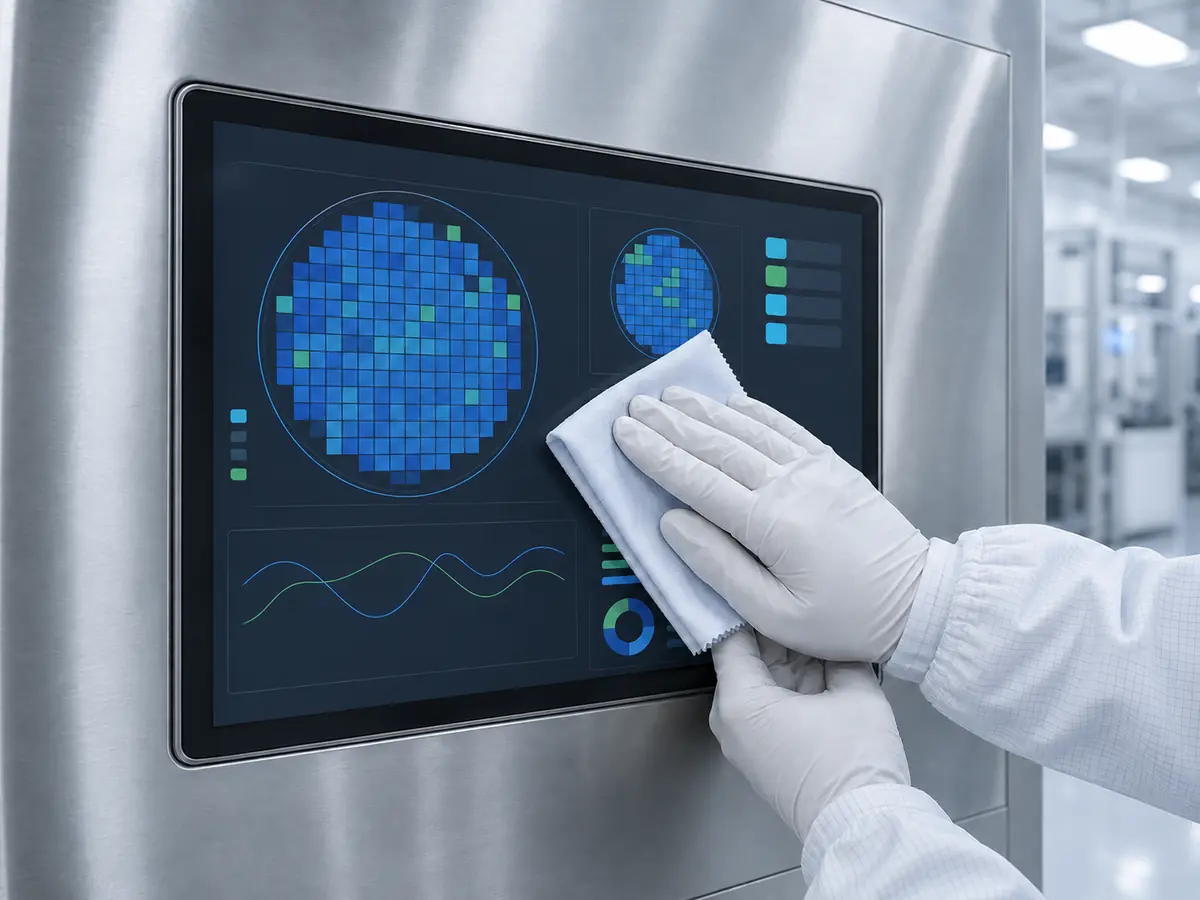
The front-panel structure determines how the operator, cleaning process, and cleanroom environment interact with the display. It should be designed as part of the equipment enclosure rather than treated as a decorative cover added after LCD selection.
Why Is a Flush Glass Front Often Preferred?
A flush cover-glass design reduces recesses, seams, exposed frame edges, and horizontal ledges where contamination can collect. It also creates a consistent surface for routine wiping.
The glass can include a printed border that hides the LCD frame, touchscreen routing, adhesive, and mounting structure. Transparent windows can be added for indicators or sensors, while the external dimensions can match the machine’s industrial design.
The transition between the glass and enclosure remains important. If the glass sits above the housing with a deep exposed edge, the assembly may still be difficult to clean. Mechanical drawings should define the glass position, gasket compression, edge clearance, and allowable surface step.
Does an IP-Rated Front Automatically Make a Display Cleanroom-Suitable?
No. Ingress protection and cleanroom suitability address different engineering questions. An IP-rated front may resist dust or water penetration under specified test conditions, but it does not automatically confirm airborne-particle behavior, material cleanability, chemical resistance, or suitability for a particular cleanroom process.
Similarly, an LCD panel cannot provide an equipment-level IP rating by itself. The final rating depends on the cover glass, gasket, enclosure, mounting force, connectors, cable entries, fasteners, and complete installation.
The equipment manufacturer should define separate requirements for ingress protection, particle control, cleaning compatibility, ESD, and material performance.
How Should Cover Glass Be Specified?
Important parameters include external dimensions, thickness, edge finish, strength, printed border, viewing window, touchscreen area, optical transmission, surface treatment, and permitted cosmetic defects.
Thicker glass can improve mechanical strength but may reduce projected capacitive touch sensitivity. The selected touch sensor and controller must therefore be tested with the final glass thickness rather than an engineering sample with thinner glass.
The glass printing should be resistant to the approved cleaning procedure. Internal printing is often preferred because the graphic layer is protected from direct mechanical contact.
Which Surface Treatments Should Be Considered?
Anti-glare treatment can reduce visible reflections by diffusing light. It is useful under strong overhead illumination, but excessive haze can reduce the apparent sharpness of small text, fine lines, and inspection images.
Anti-reflective coating can provide lower reflection while preserving image detail. It generally requires more careful handling and may increase cost. Anti-fingerprint treatment can reduce visible marks and improve cleaning convenience on frequently touched screens.
The treatment should be tested with the actual screen content. An interface containing large buttons and numerical values may tolerate more haze than a wafer inspection display showing small defect images.
When Should Optical Bonding Be Used?
Optical bonding fills the air gap between the LCD and touchscreen or cover glass with a transparent adhesive. It reduces internal reflection, prevents particles from entering the optical gap, and can improve the mechanical feel of the front assembly.
Bonding is especially useful when the display presents dark images under bright lighting. It can improve perceived contrast without requiring an excessively bright backlight.
The service strategy must still be considered. A bonded LCD, touchscreen, and cover glass normally become one replaceable assembly. If one component fails, separating and repairing the stack may not be practical at the equipment site.
How Should Gaskets and Adhesives Be Selected?
Gaskets should provide consistent compression without applying damaging pressure to the LCD or touchscreen. Their material should be compatible with temperature, cleaning procedures, and the expected service period.
Adhesives should not remain exposed where they can collect contamination or contact cleaning fluid. Engineers should confirm long-term adhesion to the chosen glass, metal, coating, and touch-sensor materials.
Mechanical tolerances are important. If enclosure variation produces uneven gasket compression, one machine may seal correctly while another applies excessive stress to the display.
How Should the Rear of the Display Be Designed?
The rear assembly should protect cables and controller boards while allowing heat to dissipate. Cable routing should avoid sharp bends, moving mechanisms, high-voltage wiring, and strong noise sources.
If cooling fans are used, their effect on equipment particle control and maintenance must be evaluated. A fanless display assembly can reduce moving parts and maintenance, but it still requires an adequate conduction or convection path for heat.
Claim: A cleanroom display front should provide a smooth and cleanable surface, controlled gaps, suitable sealing, compatible materials, stable mounting, and an effective thermal path. These characteristics come from the complete enclosure design—not the LCD panel alone.
3. Which LCD and Touch Technologies Perform Best in Cleanrooms?
No single LCD or touchscreen technology is mandatory for all cleanrooms. The correct choice depends on the viewing position, information density, glove requirements, optical conditions, software, equipment architecture, and lifecycle target.
Which TFT LCD Viewing Technology Should Be Used?
TN panels can provide a cost-effective solution for simple control interfaces viewed from a fixed position. Their main limitation is image variation at oblique viewing angles.
VA panels provide strong native contrast and can work well for dark user interfaces, although gamma and color may change when viewed from the side.
IPS-type, ADS, and AHVA panels normally provide wider viewing angles and more stable image appearance. They are often preferred for semiconductor equipment because operators may view the screen from several positions or because multiple engineers may review information together.
Wide-viewing technology is especially valuable for inspection systems that present images, wafer maps, classification data, and trend information. The relationship between display performance and defect-review workflow is explained in How Do LCD Displays Improve Wafer Inspection Systems?.
How Should Size and Resolution Be Selected?
Compact equipment controls may use 7-inch, 8-inch, 10.1-inch, 10.4-inch, or 12.1-inch LCDs. General operator interfaces frequently use 15-inch or 15.6-inch screens, while inspection and engineering stations may require 17-inch, 19-inch, 21.5-inch, 23.8-inch, 27-inch, or larger displays.
The diagonal size should not be selected independently from resolution and viewing distance. A large screen with low resolution may not show more useful information, while an excessively high-resolution compact screen can make touch controls too small.
Legacy semiconductor equipment may depend on 4:3 or 5:4 aspect ratios. Changing to a widescreen panel can require software and mechanical redesign even when the new screen has a similar diagonal size.
How Much Brightness Is Normally Required?
Many indoor cleanroom applications can use an LCD in approximately the 300-to-500-nit range, depending on overhead lighting, cover-glass transmission, surface reflection, and viewing distance.
Higher brightness should be selected when testing shows that it is necessary. Excessive brightness increases heat and power consumption and can reduce operator comfort. Reflection control and optical bonding may improve readability more efficiently than increasing backlight output alone.
When Is Projected Capacitive Touch Suitable?
Projected capacitive touch provides a durable glass-front interface, good optical clarity, and multi-touch capability. It is suitable for wafer-map navigation, scrolling, image zooming, recipe selection, and modern HMI layouts.
For cleanroom use, engineers must confirm operation with the intended gloves. The touch controller may need firmware adjustment to achieve sufficient sensitivity without increasing false inputs.
Grounding and noise control are equally important. The PCAP sensor, controller, LCD, cover glass, enclosure, power supply, and cable routing should be evaluated as one system.
When Is Resistive Touch Suitable?
Resistive touch responds to pressure and can be operated with thick gloves, a stylus, or nonconductive tools. It remains useful for maintenance terminals and established equipment interfaces that use large single-touch controls.
Its flexible outer layer does not provide the same glass-front durability as a PCAP structure. It can also be more difficult to integrate into a completely flush, chemically resistant front.
The selection should therefore be based on actual operator input requirements rather than the assumption that one technology is always more industrial than the other.
Which Display Interface Should Be Used?
Embedded LCD modules commonly use LVDS or eDP. LVDS remains widespread in established industrial equipment, while eDP is increasingly found in newer and higher-resolution panels.
Complete monitor assemblies may use HDMI, DisplayPort, DVI, or VGA. The correct interface depends on the host computer, resolution, cable length, connector retention, startup behavior, and service strategy.
Touch controllers commonly use USB or I2C. USB is convenient for industrial computers, while I2C can be suitable for embedded designs. Driver availability and controller identification should be documented for long-term replacement.
A broader comparison of these technologies is available in What Display Technologies Are Used in Semiconductor Equipment?.
Claim: IPS-type industrial LCDs and PCAP touchscreens are common choices for modern cleanroom HMIs, but TN, VA, and resistive touch remain valid where their characteristics match the application. Selection should follow actual viewing, glove, software, and lifecycle requirements.
4. How Should Cleanroom Displays Be Tested and Maintained?
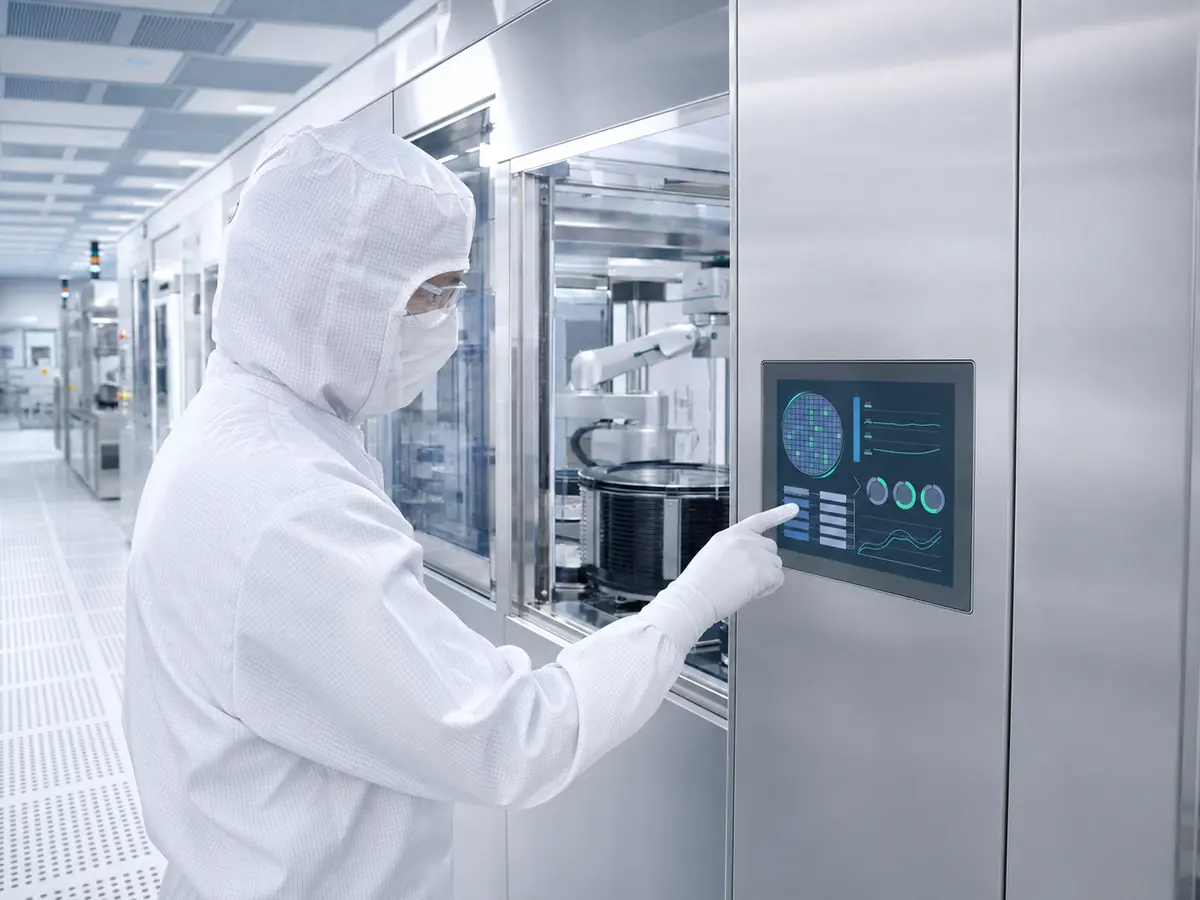
Cleanroom display validation should begin with component testing and continue through equipment-level evaluation. A panel that passes electrical testing outside the machine has not yet demonstrated that it can withstand the installed thermal, cleaning, ESD, EMC, and operational conditions.
How Should Cleanroom Suitability Be Assessed?
ISO 14644-14:2026 provides a methodology for assessing the suitability of equipment for cleanroom use with respect to airborne-particle cleanliness. It applies at the equipment level and does not by itself define cleanability, material selection, electrostatic properties, or application-specific performance.
This distinction is important. An LCD supplier can provide information about the panel and display assembly, but the equipment manufacturer must assess the completed machine within its intended cleanroom environment.
What Should Be Tested Before Installation?
Initial testing should verify resolution, image stability, brightness, viewing angle, touch communication, glove operation, startup timing, power consumption, cable compatibility, and repeated power cycling.
The LCD should also be inspected for pixel defects, mura, backlight irregularity, image retention, and cosmetic defects according to the agreed acceptance criteria.
The touchscreen should be tested through the final cover glass. Testing should cover the center, edges, corners, dragging, long presses, repeated taps, and gestures used by the equipment software.
What Should Be Tested in the Final Enclosure?
The display should be installed with its final gasket, cover glass, touchscreen, controller board, cables, power supply, and mounting structure. Engineers should measure rear-enclosure temperature while the machine operates under representative load and the display runs at maximum intended brightness.
Viewing and reflection should be checked from normal operator positions under actual or representative cleanroom lighting. Every important software page should be reviewed for readability, scaling, hidden controls, and correct image proportions.
Touch performance should be tested while motors, illumination systems, switching power supplies, and communication devices are active. This is often when grounding or electrical-noise problems become visible.
How Should Cleaning Compatibility Be Tested?
The front assembly should be exposed to repeated cleaning cycles using the approved agent, concentration, wiping material, pressure, and contact time. Testing should inspect glass clarity, coating condition, printed-border adhesion, gasket condition, and touchscreen operation.
Cleaning fluid should not collect around the glass perimeter or enter the enclosure. If the equipment uses a sealed front, sealing performance should be verified after mechanical and cleaning-cycle testing rather than only on a new assembly.
Which Reliability Tests Should Be Included?
The required test plan may include continuous operation, high- and low-temperature operation, thermal cycling, ESD, EMC, vibration, repeated power cycling, brightness stability, touch endurance, and cleaning resistance.
The exact test levels should match the machine design and customer requirements. It is not useful to claim that a display is suitable for every semiconductor environment based on one generic reliability test.
How Should Displays Be Maintained?
Maintenance instructions should define approved cleaning materials, inspection frequency, permitted surface condition, cable inspection, brightness checks, touch calibration or verification, and the correct replacement procedure.
Technicians should avoid applying excessive pressure to the LCD, using unapproved cleaning tools, or opening the front assembly in an uncontrolled manner. Replacement components should be stored in suitable antistatic and protective packaging.
Why Does Long-Term Availability Remain Important?
A cleanroom display may use customized glass, touch firmware, optical bonding, cables, and mounting components. If the LCD panel becomes obsolete, replacing it can affect the complete front assembly.
Engineers should document the LCD model, touch controller, firmware, glass drawing, gasket, adhesive, cable, display controller, software resolution, and validation results. Possible replacement models should be identified before the original screen becomes unavailable.
Lifecycle planning is discussed in detail in Why Is Long-Term Availability Critical in Semiconductor Manufacturing Equipment?.
Claim: Cleanroom display approval requires testing the completed HMI under representative lighting, temperature, cleaning, glove, ESD, EMC, software, and equipment-operating conditions. Maintenance and lifecycle documentation should form part of the original qualification.
5. What Advantages Does XIANHENG Offer for Cleanroom Display Projects?
XIANHENG supports semiconductor equipment manufacturers with industrial LCD selection, customized touchscreens, cover glass, optical bonding, controller boards, cables, and integrated display assemblies. We can help customers develop the display around the actual equipment structure rather than supplying an isolated panel specification.
Which Industrial LCD Options Can XIANHENG Provide?
We can support industrial TFT LCDs from manufacturers such as BOE, AUO, Innolux, and Tianma. Available options include TN, VA, IPS-type, ADS, and AHVA displays with different sizes, resolutions, brightness levels, interfaces, viewing angles, and operating-temperature ranges.
Customers can review available models through the Industrial LCD Product Collection.
How Can XIANHENG Customize the Cleanroom-Facing Surface?
Custom cover glass can include specified outer dimensions, thickness, printed borders, logos, viewing windows, sensor windows, edge processing, anti-glare treatment, anti-reflective coating, and anti-fingerprint treatment.
XIANHENG can support projected capacitive or resistive touchscreens according to the glove, input, optical, and software requirements. For PCAP projects, touch parameters can be developed around the selected cover glass and final equipment structure.
Can XIANHENG Provide Optical Bonding and Integrated Assemblies?
Optical bonding is available for projects requiring reduced internal reflection, improved perceived contrast, stronger front integration, or prevention of contamination within the optical gap.
Depending on the project, we can also support TP plus LCM assemblies, customized interface cables, controller boards, open-frame displays, and integrated touch-monitor solutions.
How Does XIANHENG Support Engineering Validation?
Our engineers can review the required size, resolution, brightness, interface, operating temperature, cover glass, touchscreen, glove operation, bonding requirement, cable arrangement, mechanical drawing, annual demand, and lifecycle expectations.
Samples can then be prepared for optical, touch, mechanical, electrical, thermal, cleaning, and equipment-level testing. Approved component models, drawings, controller versions, and touch parameters can be documented for production consistency.
How Can Customers Start a Cleanroom Display Project?
Customers should provide the required display size, resolution, interface, brightness, touch method, glove type, cleaning procedure, operating temperature, enclosure dimensions, annual demand, and expected production period.
To discuss a cleanroom HMI, customized cover-glass display, optical-bonded touchscreen, wafer equipment monitor, or obsolete-display replacement, please reach out to XIANHENG.
Claim: XIANHENG combines industrial LCD sourcing with touchscreen customization, cover glass, optical bonding, controller and cable support, sample validation, and lifecycle planning for cleanroom-facing semiconductor equipment displays.


